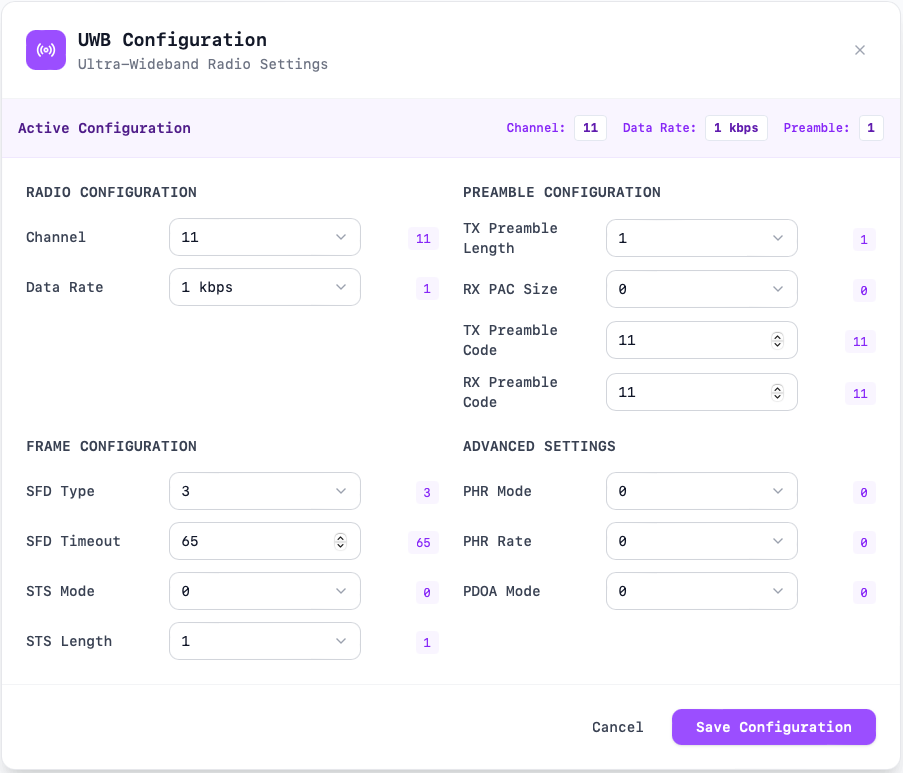
pdoa_mode: PDoA (Phase Difference of Arrival) mode.
Session Configuration
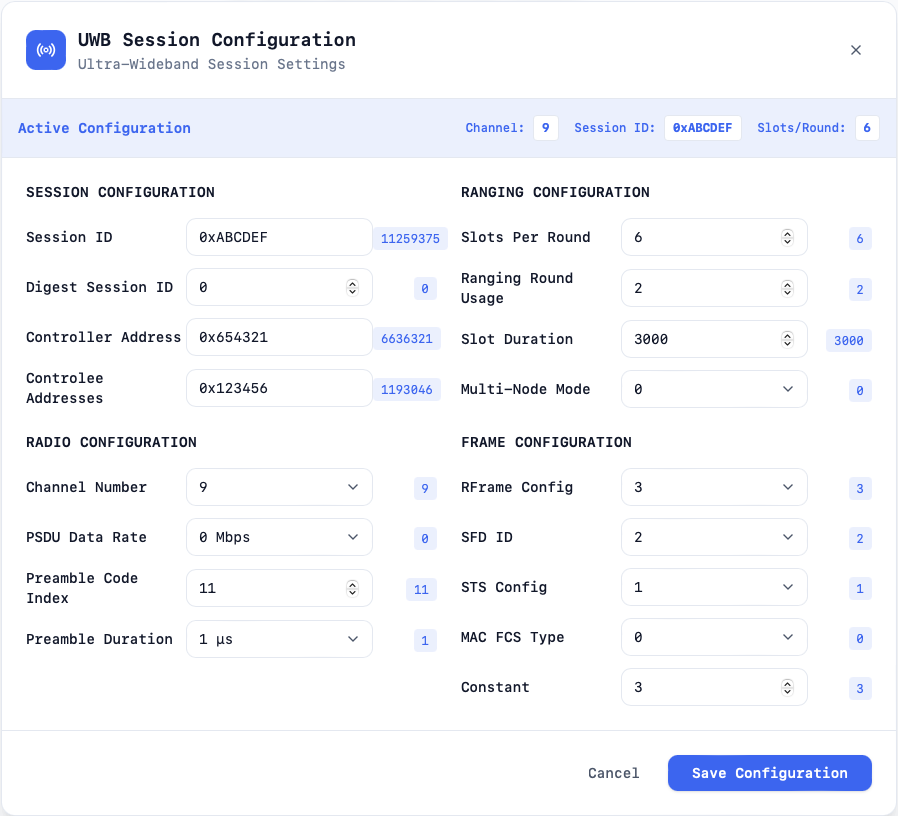
session_id (optional): The ranging session identifier. If null, the sniffer
accepts any session ID seen over the air.
controller_address (optional): The MAC address of the UWB session controller.
Null means do not restrict capture to a specific controller.
controlee_addresses (optional): The list of UWB devices acting as controlees.
Null means capture all controlees.
slots_per_round: Number of time slots available in each ranging round.
ranging_round_usage: Defines how the ranging round is structured (for example
two-way ranging, TDoA patterns, etc.).
sts_config: Configuration of the Scrambled Timestamp Sequence (STS). Controls
if and how STS is applied.
multi_node_mode: Indicates whether the session supports multi-node ranging or
only a single controller–controlee pair.
slot_duration: Duration of each slot in microseconds.
mac_fcs_type: Type of MAC frame check sequence (checksum) used.
rframe_config: Selects the ranging frame configuration (RFRAME type) which
determines modulation and frame format.
preamble_code_index: The preamble code used for both transmitting and
receiving.
sfd_id: Identifier for the Start-of-Frame Delimiter (SFD) type.
psdu_data_rate: Data rate used for the PSDU (payload). Common rates are 850
kbps and 6.8 Mbps.
preamble_duration: Duration of the UWB preamble.
The session information is required to decypt the packets. Currently only StaticSTS Encryption is supported.The session_id, controller_address and controlee_addresses are optional and willbe learned from packet capture. When use with a mobile phone, these parameterswill random and hence can not be known befrore the reagning sessions hasstarted.If session_id, controller_address and controlee_addresses are not entered thepacket sniffer will decrypt, decode and display all sessions that matching theconfiguration.In certain use cases the session paramters can be extracted from the BLE data.Support for this is currectly limited. For more information contact us atcontact@bluewbee.com.
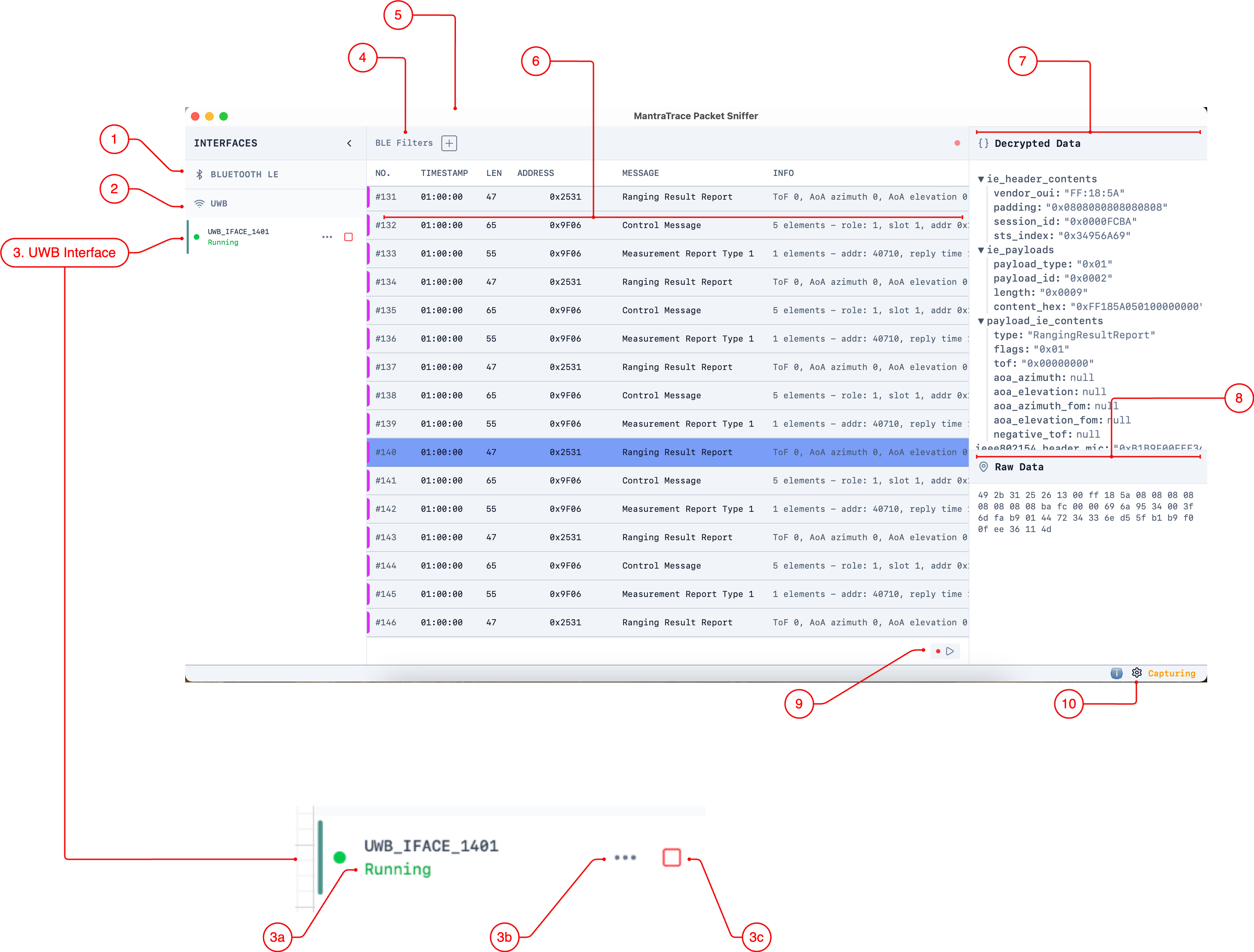
3c - Start and Stop the sniffer
This allows the user to start and stop a specific sniffer interface
Tips
If the sniffer status is started but now packets are being displayed in thepreview list check:
There are no active filter filtering expected packets
The session and phy configuration is set correctly for the expected UWB