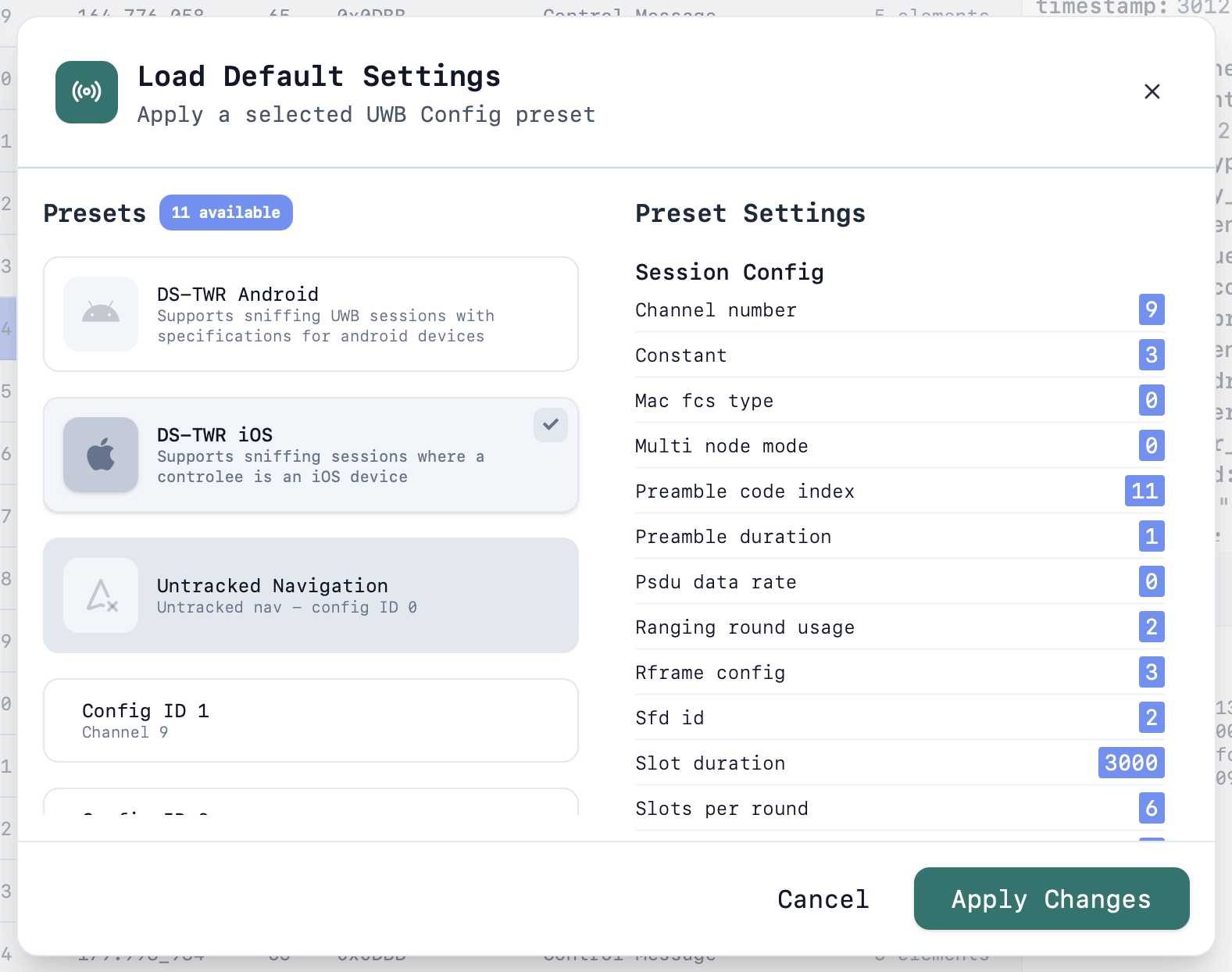
Instead of filling in every PHY and session field by hand, you can load a named preset that sets both in one step.Open the preset picker from the UWB interface menu: click the ... button next to a UWB interface and choose Load Default Settings.
Available presets
DS-TWR Android – supports sniffing UWB sessions with specifications for Android devices.
DS-TWR iOS – supports sniffing sessions where a controlee is an iOS device.
Untracked Navigation – untracked navigation, config ID 0.
Select a preset to see a full preview of the values it will set — both the session configuration and the UWB radio configuration are listed in the dialog before anything changes. Click Apply Changes to write them to the interface.Applying a preset overwrites the interface's current UWB Config and Session Config. Fields you have customised (such as addresses or a session ID you set manually) can be adjusted afterwards in the usual UWB Config and Session Config dialogs — see UWB Interface.