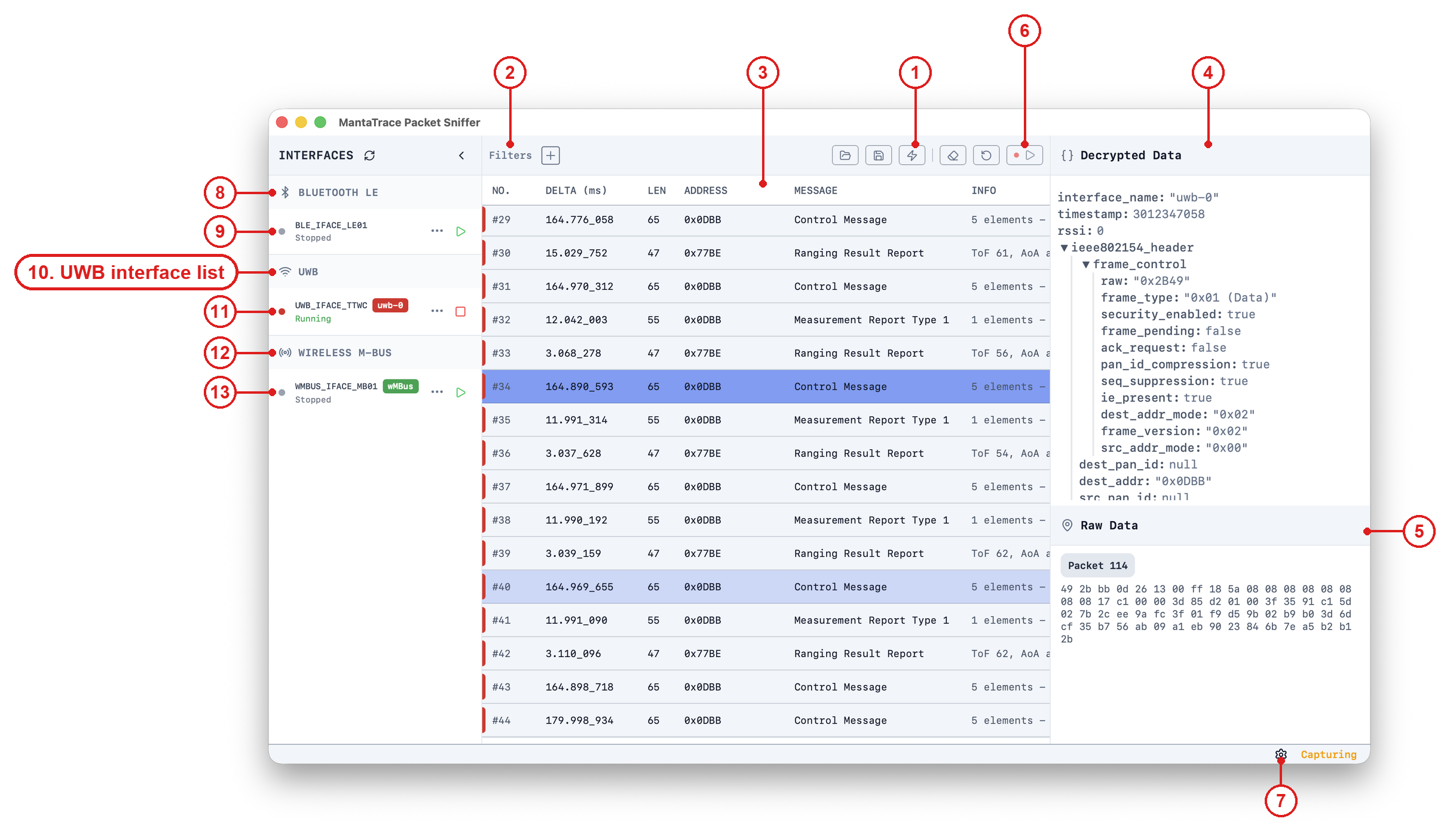
The UWB Interface List shows all Ultra-Wideband (UWB) sniffer devices currentlyplugged into the computer running the Packet Sniffer application. Each entrycorresponds to a physical USB-connected UWB sniffer, built on either a QorvoDW3000 or an NXP SR150 UWB radio.The supported hardware includes:
Custom UWB sniffer dongles (contact us for availability: contact@bluwbee.com)
Supported Hardware
nRF52840 DK + DW3000EVB
A widely available UWB development kit combination. This setup is reliable forlab use, prototyping, and controlled measurements.It can be purchased from major distributors:
An evaluation module based on the Murata Type2AB UWB + BLE combo module. Firmwarefor this hardware is provided alongside the DK firmware (hardware type 2ab in thefirmware updater).
Murata Type2BP EVK
An evaluation kit based on the Murata Type2BP module, which pairs an NXP QN9090controller with an NXP SR150 UWB radio. Firmware for this hardware is providedalongside the DK firmware (hardware type 2bp in the firmware updater).The board connects through an on-board USB-to-serial bridge, so it appears as ageneric serial port (/dev/tty.usbserial-... on macOS) rather than a MantaTracedevice. The app asks each such port whether it is running MantaTrace snifferfirmware, and lists only the ones that answer. A second EVK running otherfirmware, such as a test transmitter, is not listed.Differences from the DW3000-based sniffers:
Starting after power-up takes up to about 25 seconds, while the board
loads the radio's firmware. The app waits for it.
Stopping resets the radio, and the board takes about 3 seconds before it
can capture again. The app waits for this too, so a quick stop and start simply takes a little longer.
PHY settings are limited to what the SR150 can receive: channels 5 and 9,
preamble codes 9 to 12, a 64-symbol preamble, 6.8 Mbps, and SFD type 0 or 3. A setting outside that range is refused rather than silently changed, and no packets are captured until it is corrected.
Timestamps have the same tick size as the DW3000 boards, but are accurate
to microseconds rather than nanoseconds. Use a DW3000-based sniffer where nanosecond timing matters.
Custom UWB Sniffer Dongles
Compact, ready-to-use sniffer hardware suitable for field use or continuousmonitoring.To request availability, pricing, or lead times: contact@bluwbee.com
Tips
If device is not shown,
Ensure the UWB sniffer is connected via USB and powered
Ensure the UWB sniffer HW is programmed correctly
For a Murata Type2BP, allow up to 25 seconds after plugging it in, and make
 The supported hardware includes:
 It can be purchased from major distributors:
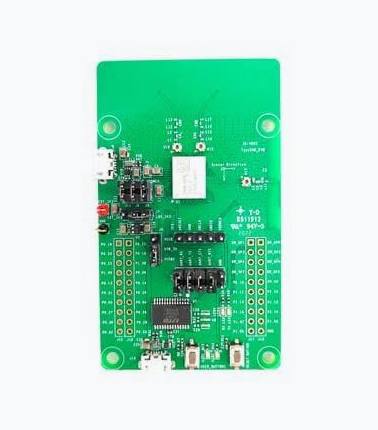 An evaluation module based on the Murata Type2AB UWB + BLE combo module. Firmware
for this hardware is provided alongside the DK firmware (hardware type 2ab in the
firmware updater).
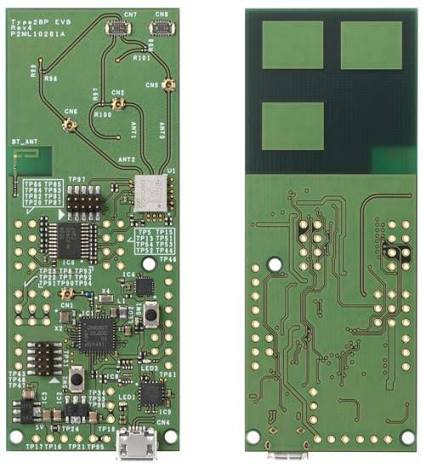 An evaluation kit based on the Murata Type2BP module, which pairs an NXP QN9090
controller with an NXP SR150 UWB radio. Firmware for this hardware is provided
alongside the DK firmware (hardware type 2bp in the firmware updater).
The board connects through an on-board USB-to-serial bridge, so it appears as a
generic serial port (/dev/tty.usbserial-... on macOS) rather than a MantaTrace
device. The app asks each such port whether it is running MantaTrace sniffer
firmware, and lists only the ones that answer. A second EVK running other
firmware, such as a test transmitter, is not listed.
Differences from the DW3000-based sniffers:
 To request availability, pricing, or lead times: contact@bluwbee.com
