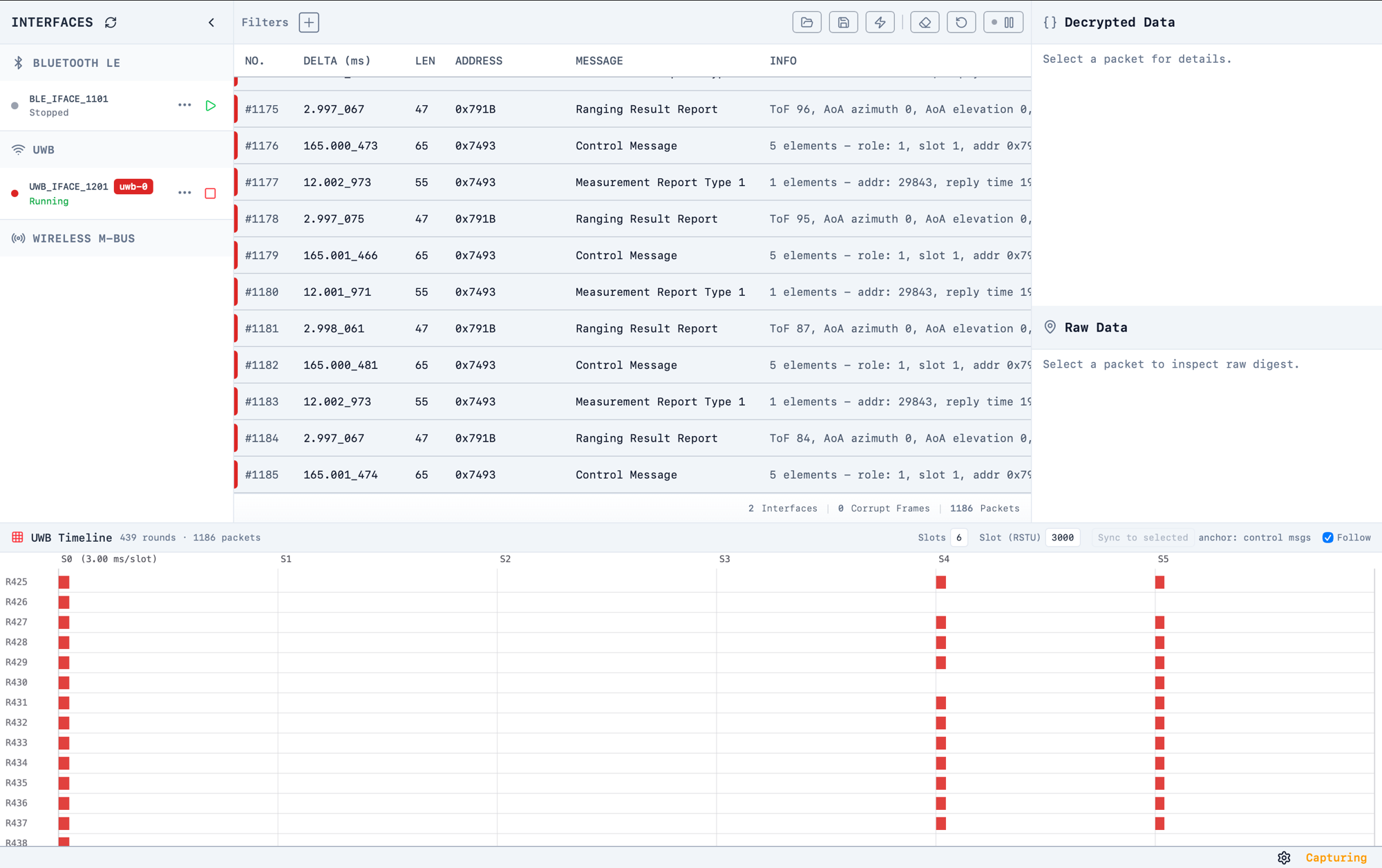
The Timeline Grid is a bottom-docked panel that lays UWB traffic out as a grid of ranging rounds and slots, so you can see at a glance which slot of each round every packet landed in — and spot missing or late frames immediately.Enable it per interface from the UWB interface menu: click the ... button next to a UWB interface and switch on Timeline Grid. The panel appears while at least one UWB interface has it enabled.
How the grid is built
Rows are ranging rounds. A new round starts at each Control Message (the TWR round start). Each row is labelled with its round number.
Columns are slots. The number of columns comes from the interface's session configuration (slots per round), and the width of each slot from the configured slot duration.
Bars are packets. Each packet is drawn as a bar in the slot where it arrived. The bar width is an estimate of the packet's on-air time, derived from the PSDU data rate and packet length.
Error frames are marked so PHY/RX errors stand out from good traffic.
Colours match the interface. When several UWB sniffers run at once, bars use the same per-interface colour as the packet list stripes.
Controls
Follow – when ticked (default), the view tracks the newest round as the capture grows. Scrolling manually switches Follow off; tick it again to resume tracking.
Sync to selected – pins the currently selected packet as slot 0 of its round, overriding the automatic Control Message anchoring. Use this when round boundaries are detected in the wrong place, or when you want the grid aligned to a particular frame.
Revert to auto – clears the manual anchor and returns to automatic round detection at Control Messages.
Click a bar to select that packet in the Packet Preview List (which pauses auto-scroll, as usual).
Panel size
Drag the top edge of the panel to resize it. The chosen height is remembered and restored the next time the app starts.The Timeline Grid works best when the session configuration (slots per round and slot duration) matches the session being sniffed — if the grid looks misaligned, check those values in the Session Config for the interface.